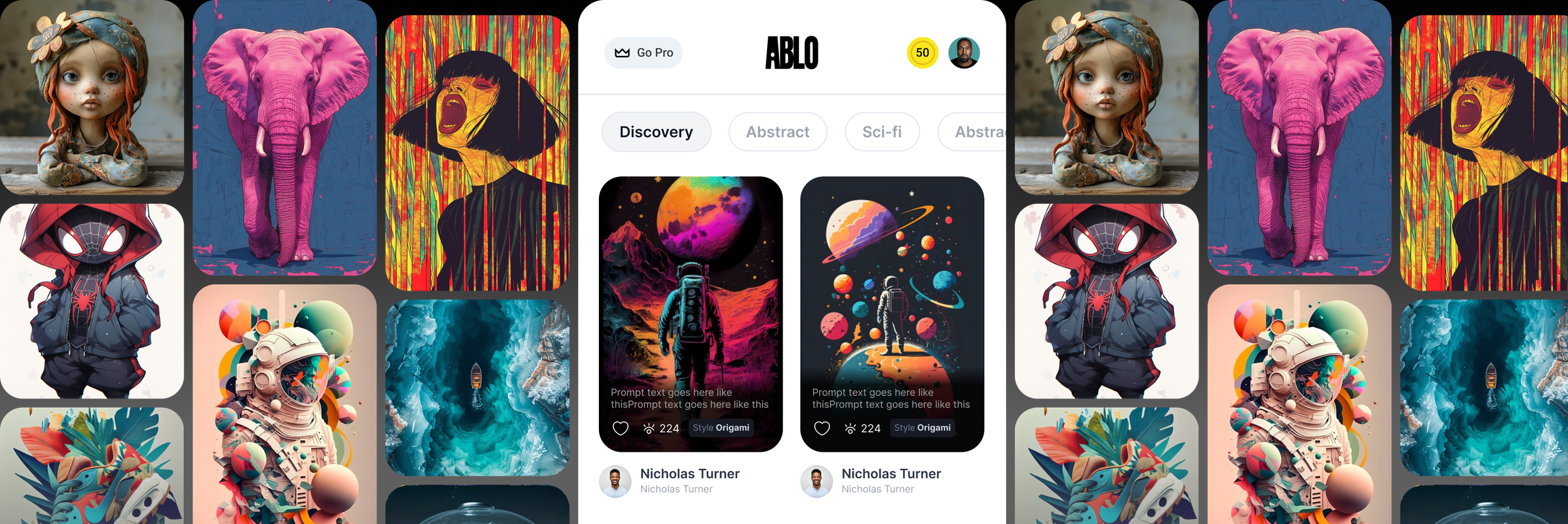

Democratizing Fashion Creation with Generative AI
Ablo.ai is a generative AI fashion platform that made it easy for anyone — even without any design experience.
With Ablo.ai, people could generate, customize, and even sell their own fashion designs.
MY ROLE
I led the 0→1 creative direction for Ablo.ai — shaping the brand, user experience, and creative systems to make generative AI approachable and empowering for non-designers.
My role spanned brand identity, interaction systems, motion language, and AI model training — where I focused on turning technical complexity into emotionally cohesive experiences by aligning model behavior with brand tone, user intent, and creative storytelling.
From onboarding flow to content surfaces, I crafted a design language that brought clarity, consistency, and delight — ensuring the brand’s message and tone stayed unified across all touchpoints, from marketing to product.
KEY CONTRIBUTIONS
AI-Driven Personalization
Integrated generative AI to enable dynamic, behavior-driven interfaces with real-time 2D customization.
Designed adaptive UX patterns that support personalized user journeys, enhancing creative expression and engagement.
Created scalable interaction logic that adjusts based on user behavior, supporting long-term product growth.
Real-Time Systems Thinking
Built interaction frameworks that scale across real-time environments, supporting seamless transitions and responsive microinteractions.
Integrated motion as a core element of the product architecture, aligning motion logic with broader product goals.
Used real-time data to optimize system performance, reduce cognitive friction, and improve user retention.
Interaction System Design
Developed real-time interaction systems that reduce cognitive load and guide users through complex customization workflows.
Created a UX architecture that combined modular UI and motion cues to reinforce intuitive navigation across multi-step flows.
Designed adaptive, context-aware interactions that support personalized user journeys, enhancing creative expression and engagement.
Cross-Channel Brand Experience
Defined a unified visual and verbal language that extended across product, onboarding, and marketing surfaces.
Ensured consistency in tone, storytelling, and motion across all customer-facing touchpoints.
Collaborated with marketing, content, and product teams to align launch campaigns with in-product experience.
Crafted scalable templates and content systems to support social, email, and campaign assets with brand coherence.
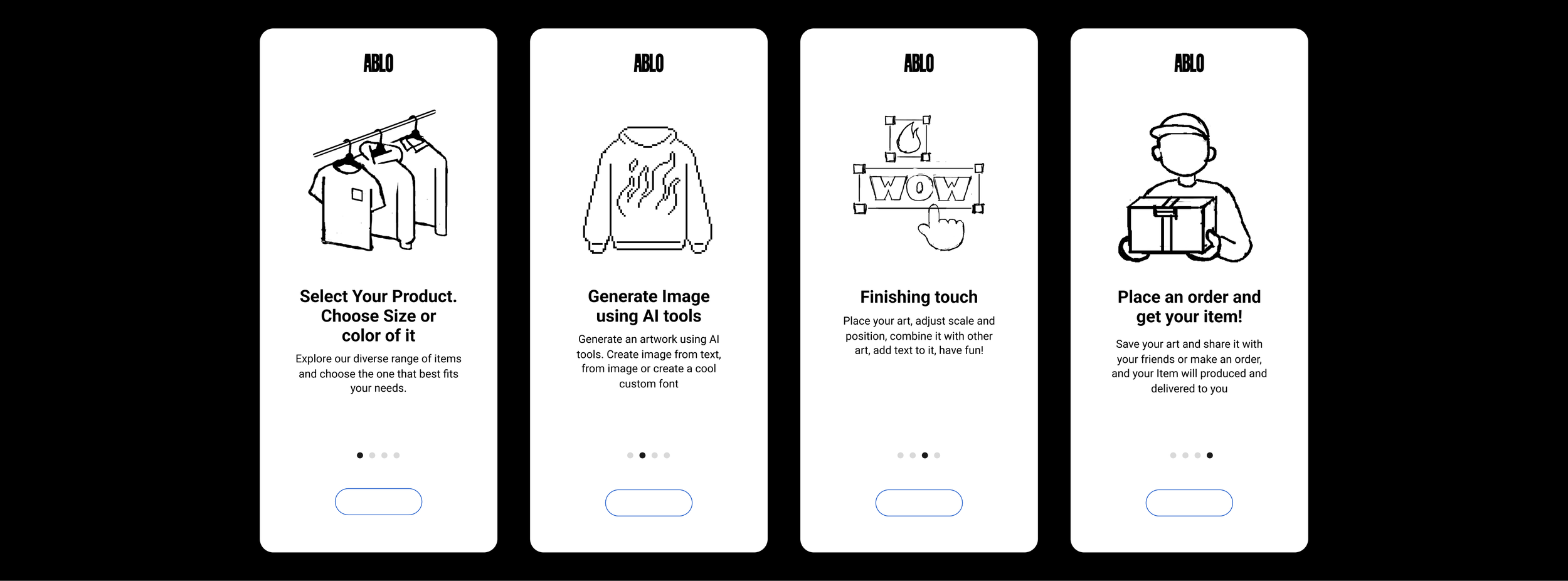
Product Interaction Demo
DESIGN STRATEGY
To ensure a seamless creative journey for non-designers, we built a system that scaled across diverse needs—from casual inspiration to high-fidelity product design. Here’s how we approached it:
Why it mattered
▸ Users were overwhelmed by the complexity of generative workflows.
▸ Intuitive, brand-consistent entry points were needed for confidence.
How it scaled
▸ Modular UI libraries (fonts, palettes, reusable elements) supported consistency.
▸ Defined reusable motion patterns (e.g., swipe-in, swipe-up, pop) for consistent interaction behavior.
▸ Enabled rapid prototyping and efficient design-to-dev handoffs.
Impact
▸ Reduced design-to-dev time by 40%.
▸ Empowered users to generate high-quality fashion outputs with ease.
▸ Created interaction consistency across tools using modular motion tokens
Components
Top Navigation
Sub Menus
Buttons
Visual Cards
Input Fields
Interactive Elements
Design Tokens: Font sizes, spacing, color tokens for rapid scalability
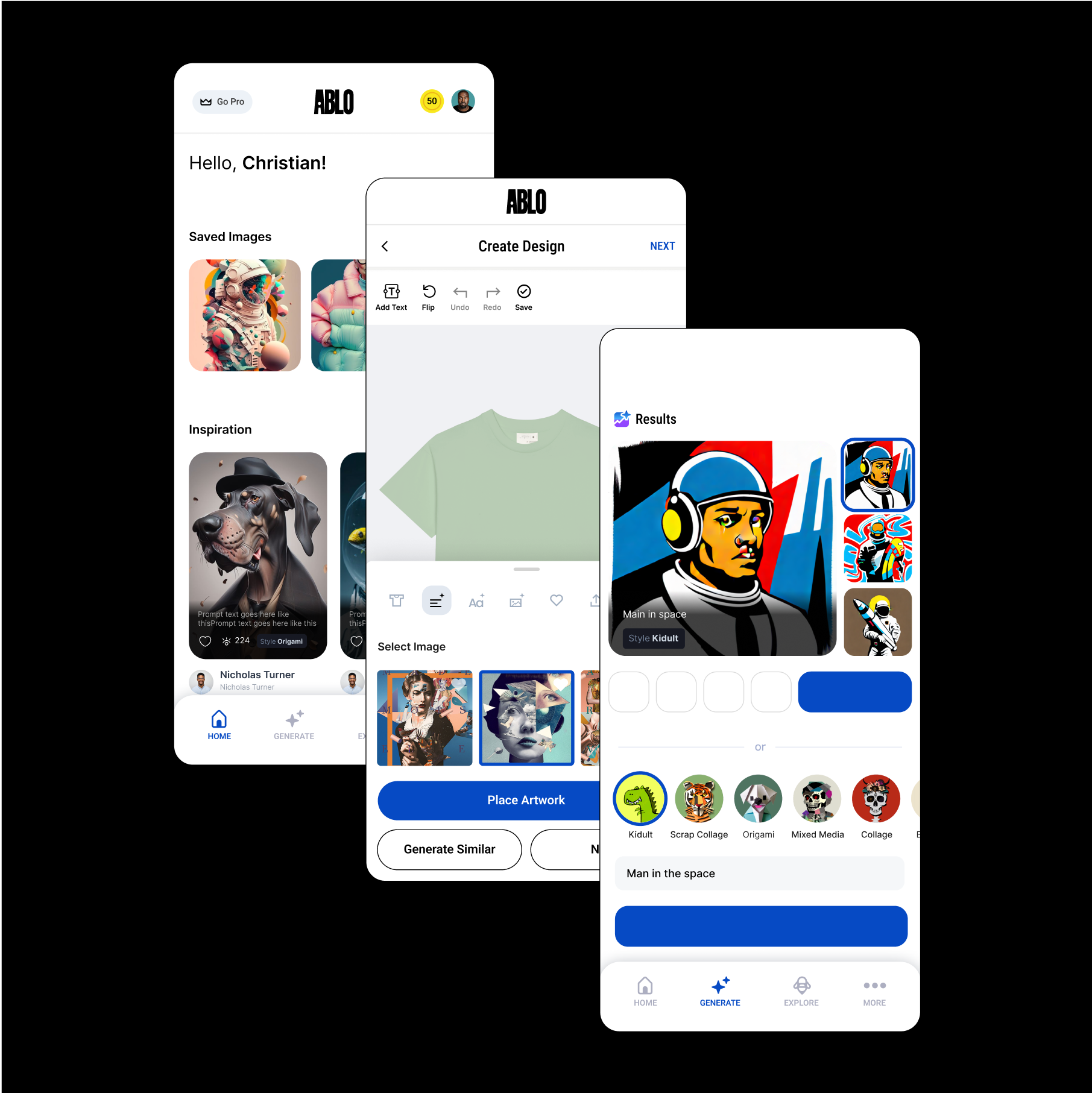
USER JOURNEY – From First Interaction to Product Mastery
A clear path from inspiration to product launch — built for non-designers.
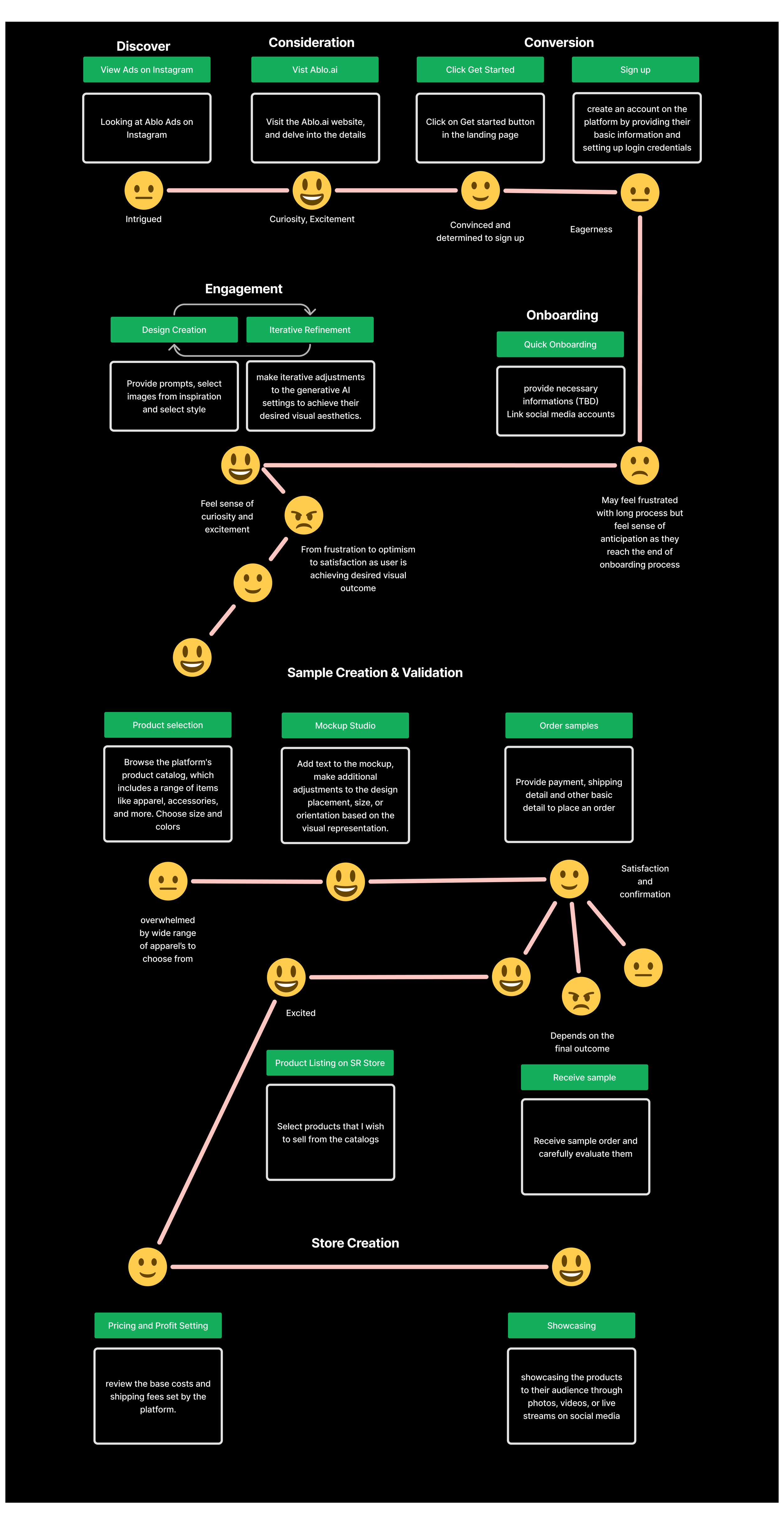
UX DESIGN STRATEGY
1.Problem
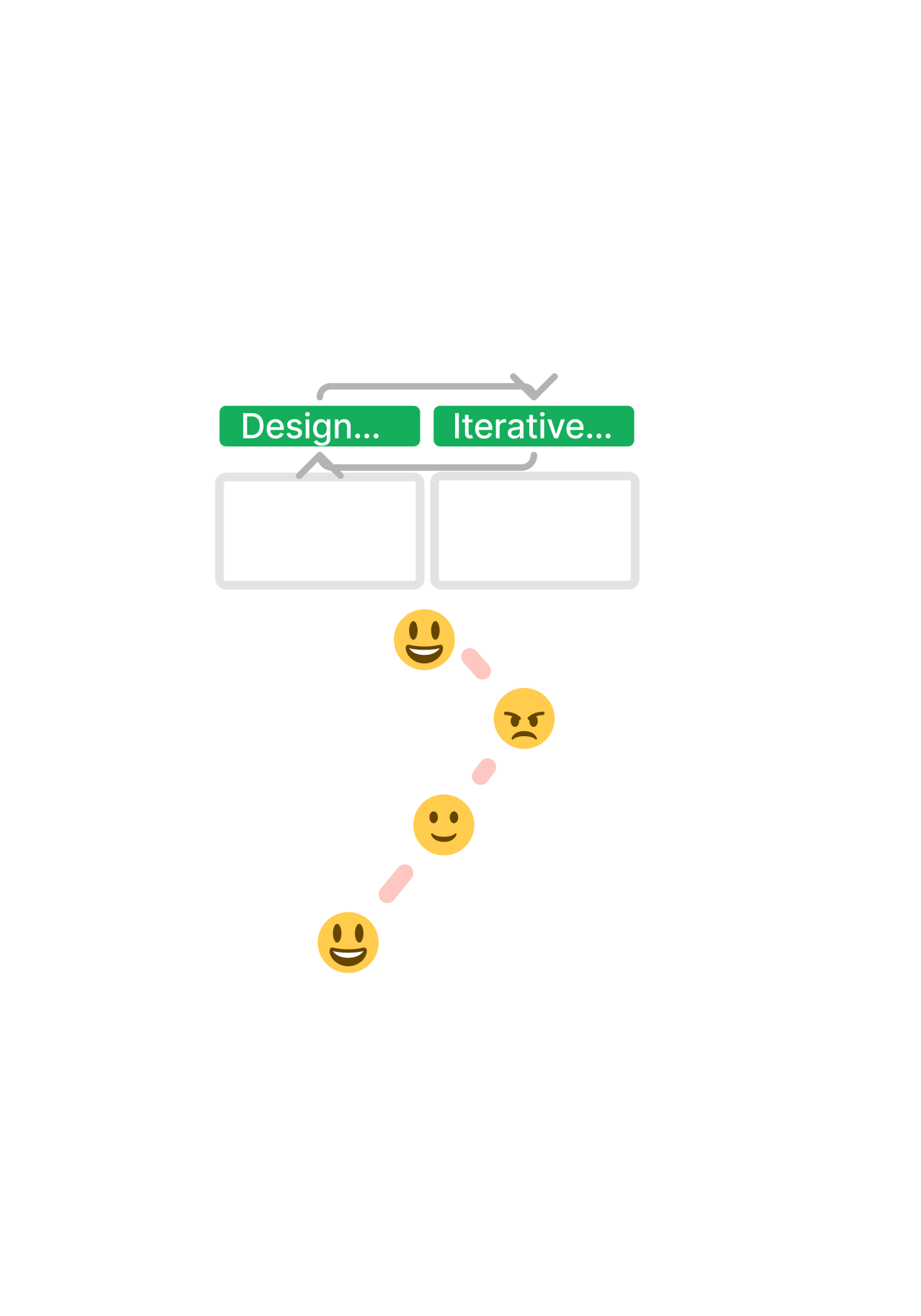
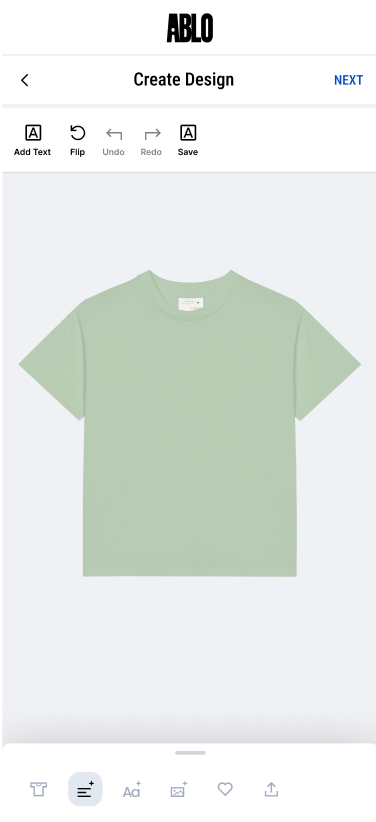
Users are unsure where to start when trying to create a shirt design. The interface offers multiple options (e.g., font, style, layout tabs). Giving just a blank canvas creates friction for first-time or casual users, when they’re expected to make creative decisions.
3. UX Flow
Step 1: Inspire
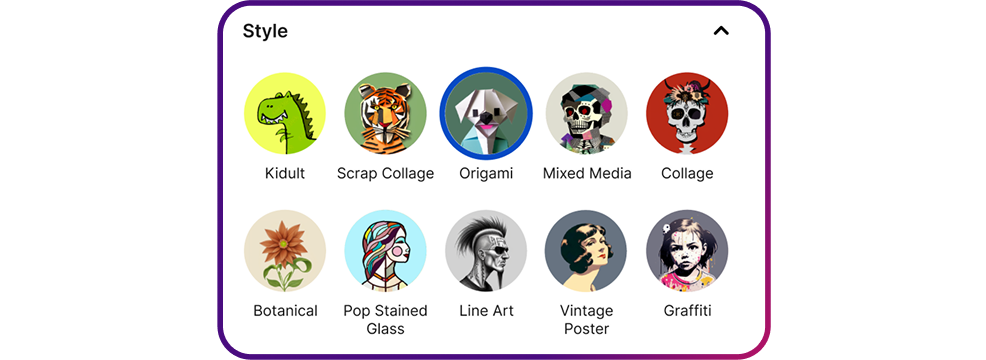
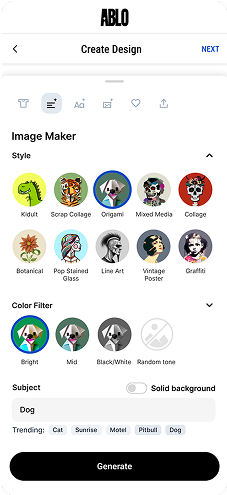
Display Style options (Graffiti, Scrap Collage, Origami, etc.) to give the user a direction in the visual style.
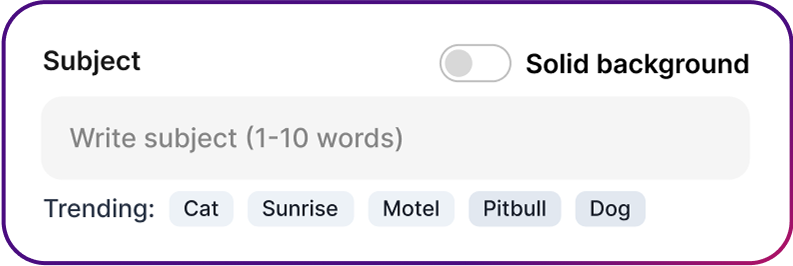
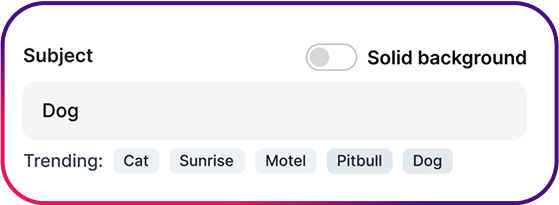
Offer “Trending” Prompts for the subject text to help the user come up with prompt ideas.
Step 2: Prompt
Use a clear CTA like: “Subject”
Offer toggle buttons:
Cat
Sunrise
Motel
Dog
Step 4: Refine
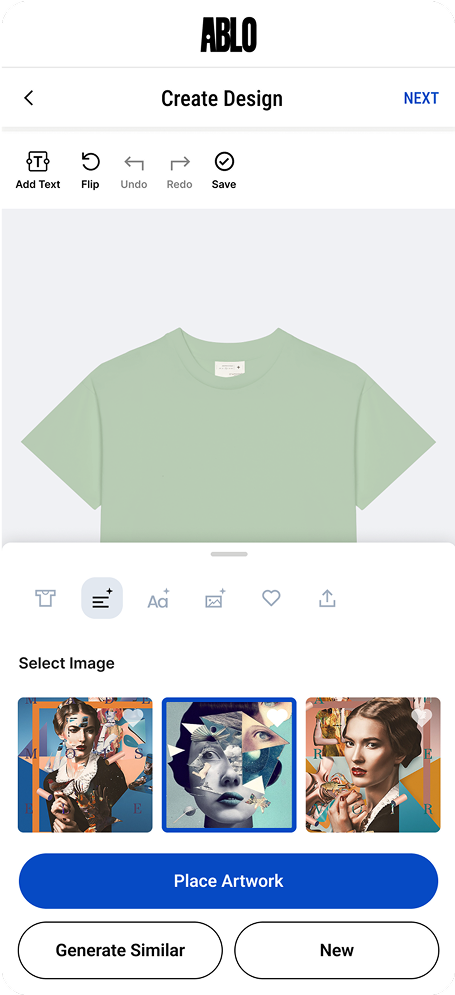
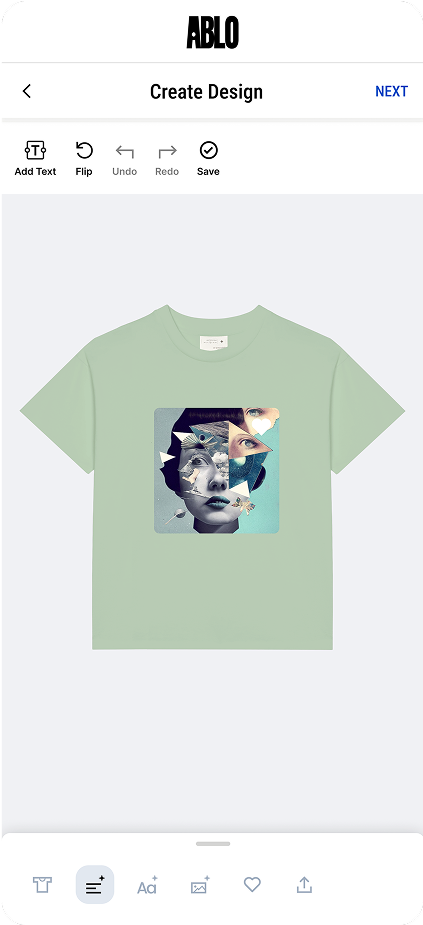
Generate will create 3 AI image options for the user to select.
If the user does not like the initial AI images and wants more options they can select “Generate Similar” to receive more options.
If they don’t like the concept all together, they can click “New” to start the process over.
2. User Behavior Analysis
a. Session Flows
High bounce rates after landing on the "Create Design" screen.
Low interaction with the “Style” and “Font” sections until users enter text.
Frequent toggling between tabs (T-shirt, Layout, Font, Image) with no final design created.
Back button used often after minimal engagement.
b. Feedback Patterns
Users say:
“I don’t know what to do here.”
“Where do I start?”
“Too many options at once.”
Users often enter text but then stall, unsure whether to pick a style, font, or switch tabs.
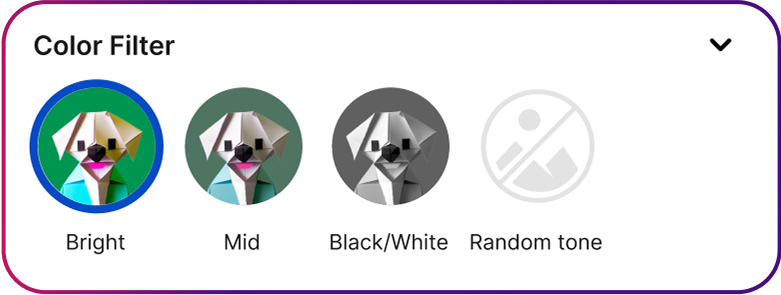
Color Filter Options (Bright, Mid, Black/White) so they can choose the design color.
Step 3: Assist
Highlight the Design options as selected
Style: Graffiti
Color Filter: Bright
Trending Prompt
Selection: Cat
Highlight “Generate” once the Subject is filled out to clearly show the user to create the AI design
Step 5: Place the design
Once the user has selected the image they want, the “Place Artwork” is highlighted and the largest button to help the user easily move on to placing the artwork.
4. Solution Strategy
To solve the problem without using motion (e.g., no animated walkthroughs), we used:
Static Visual Hierarchy Improvements
Static Visual Hierarchy Improvements
Have the Style and Color Filter be the first options to help direct the user in the over design style.
Use a light grey tabs to help inspire the user’s “Subject”
Style Recommendations After Text Entry
Once a user types a word, dynamically highlight 2–3 recommended combos:
Text: Monster
Suggested Style: Graffiti
Suggested Color Palette: Black/White
MOTION SYSTEM
Reusable behaviors that scaled across UX surfaces.
To support clarity and behavioral consistency across the product flow, we built a modular motion system — simple enough to implement, yet flexible enough to reuse across tools and surfaces.
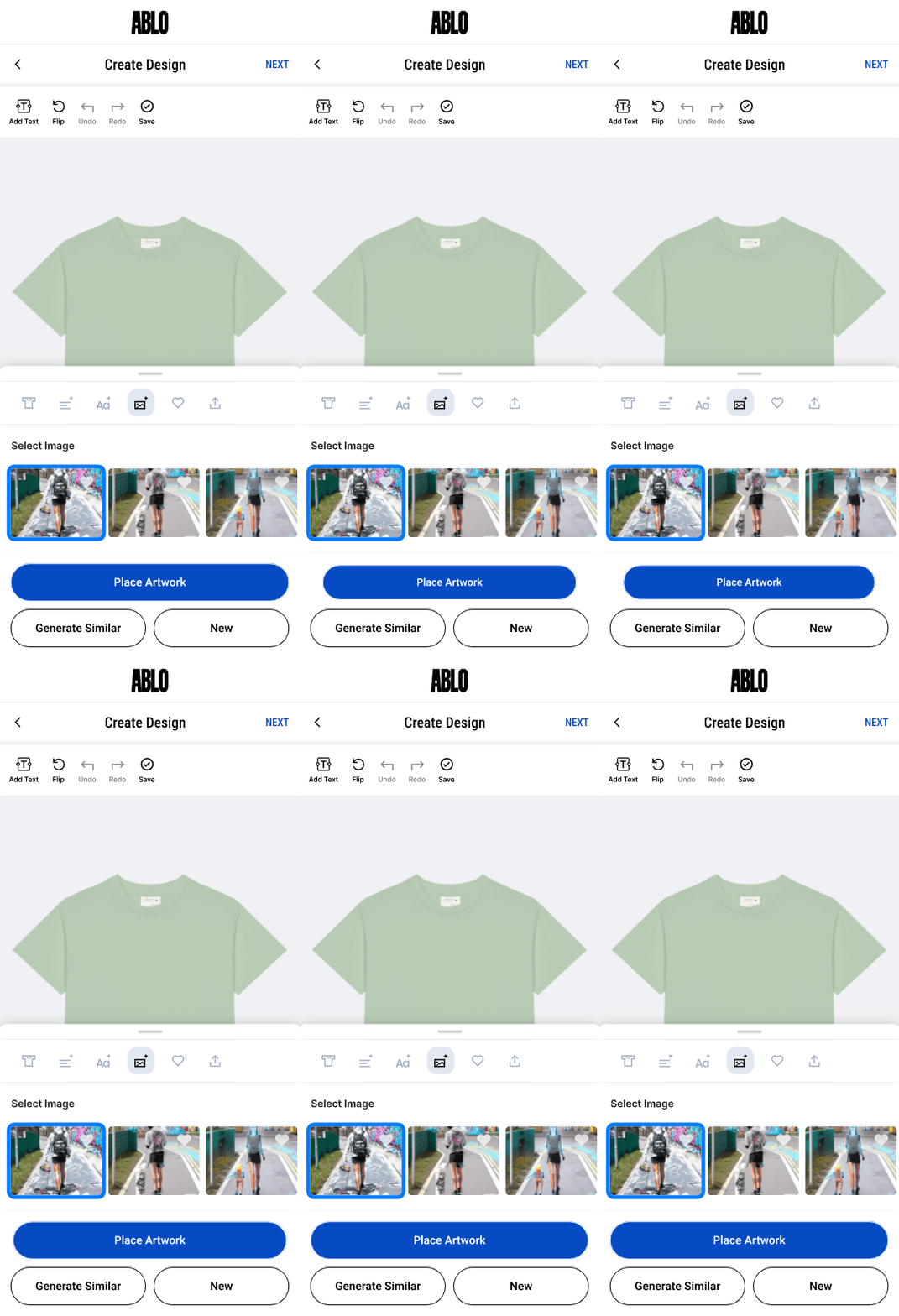
Pop
What it does:
Provides feedback when a user selects something (e.g., choosing product type or design style).
Why it matters:
Reduces ambiguity and builds momentary delight — important for creativity tools.
Scalable Use:
Used across product tiles, style icons, font previews.
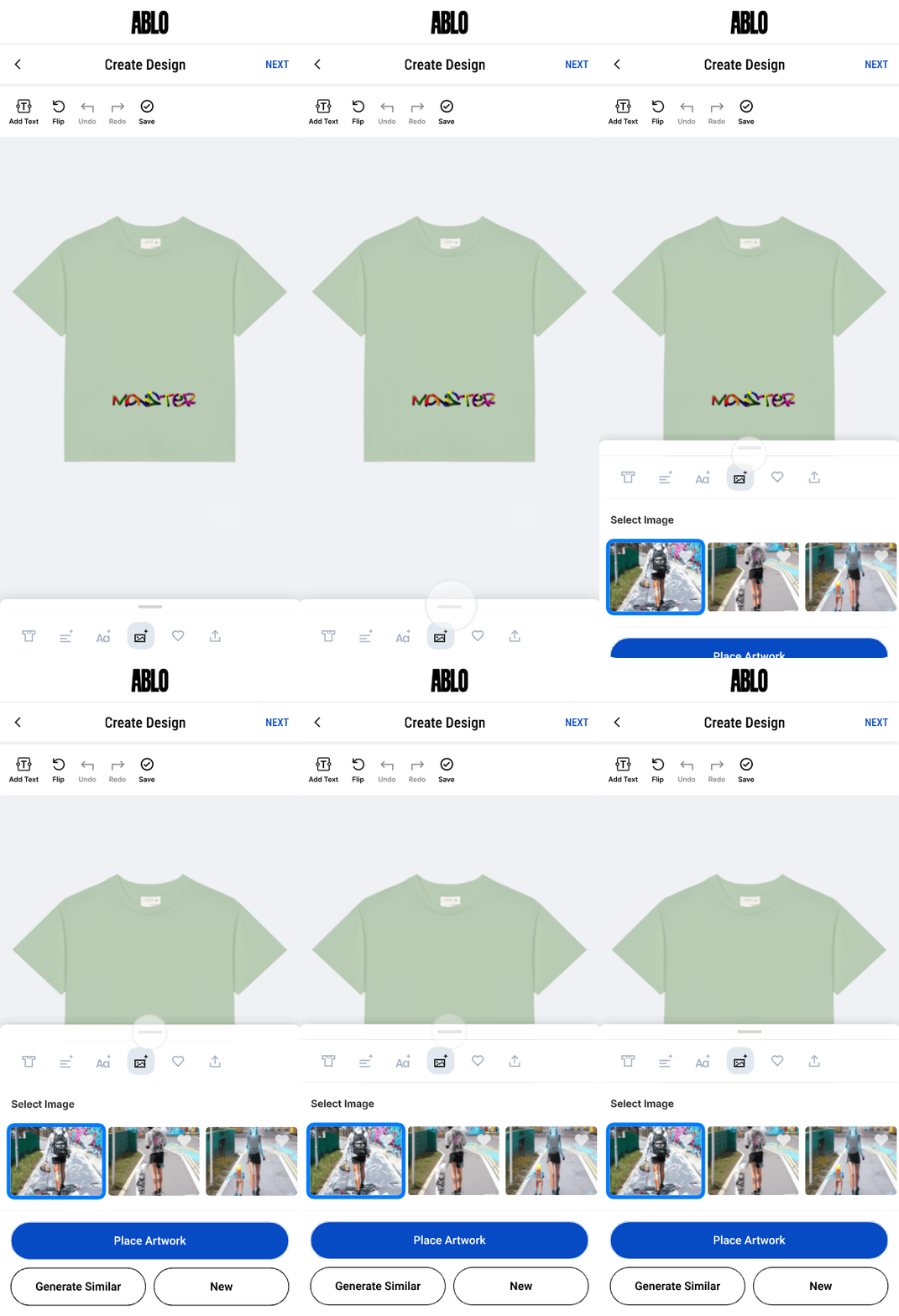
Swipe-up
What it does:
Reveals tool panels (e.g., font/style selectors) from the bottom of the screen.
Why it matters:
Maintains screen clarity while surfacing secondary options, guiding novice users without clutter.
Scalable Use:
Style selector, image import, font tools — reused across multiple tools and templates.
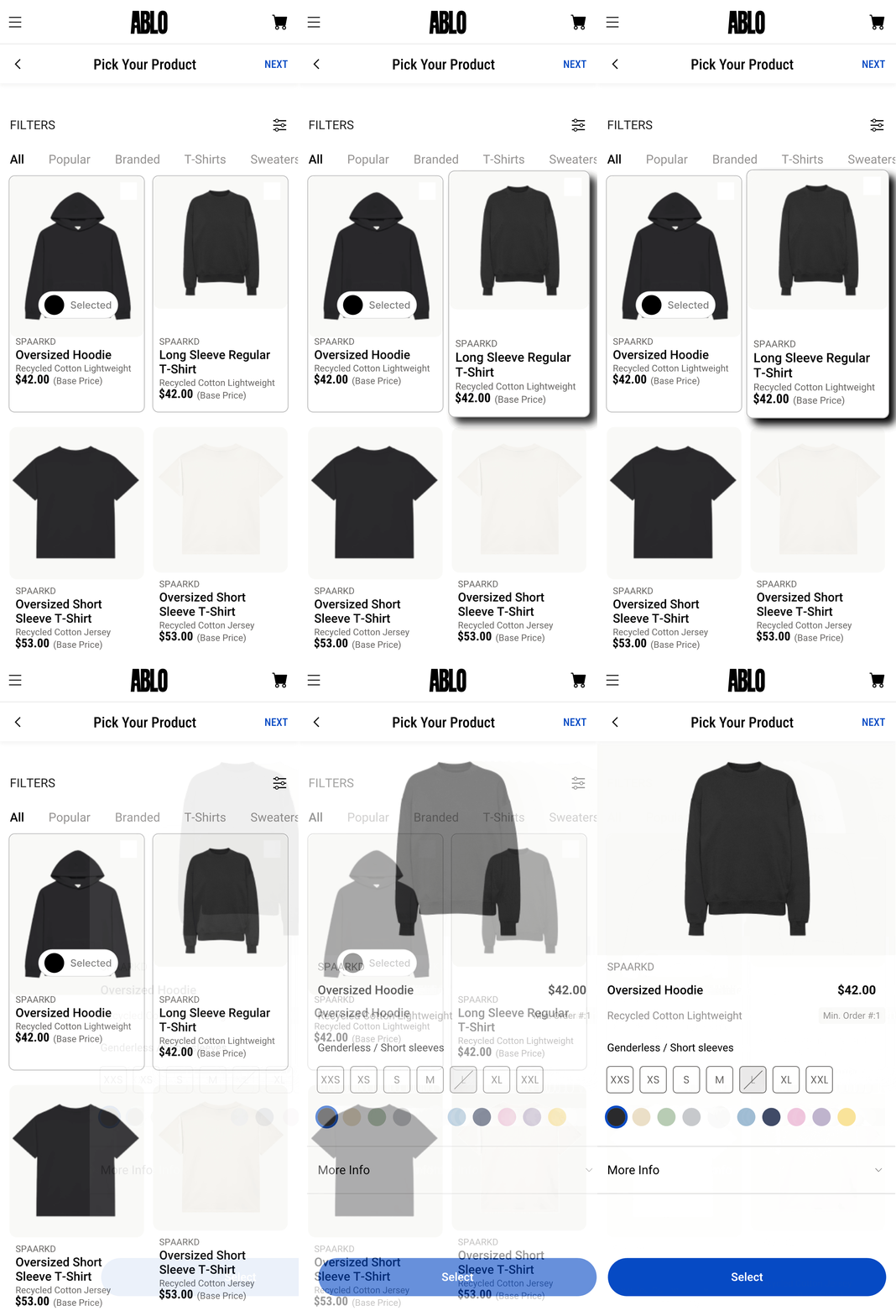
Swipe-in
What it does:
Animates a transition when moving to a new screen or page — for example, when a user selects a product and enters the design studio.
Why it matters:
Reinforces directional flow in multi-step navigation, helping users stay oriented and understand progress within the journey.
Scalable Use:
Used across onboarding flows, product selection, and transitioning between creation surfaces.
AI Model Creative Training & User-Centric Styles
Recognizing our users weren't designers, we focused on providing intuitive starting points instead of complex prompts. Collaborating with a UX researcher, we analyzed current fashion trends and user needs to develop curated style categories (e.g., Kidult, Line Art, Pixel, Monochrome). This system empowered users to generate high-quality, brand-aligned results with simple selections, significantly reducing cognitive load and enhancing creative confidence.
I led the creative direction for training our customized Stable Diffusion XL model, specifically leveraging LoRA (Low-Rank Adaptation) techniques. This was crucial for shaping Ablo.ai's unique aesthetic output:
Strategic Dataset Curation: I prepared and curated extensive image datasets that served as the AI's foundational learning material. This involved strategically sourcing diverse visual references (from the web) and generating new ones (using ComfyUI) to align the AI's output with our desired aesthetic (e.g., minimal forms, nostalgic textures, sculptural silhouettes, and our specific 'Kidult' or 'Line Art' styles).
Workflow for Dataset
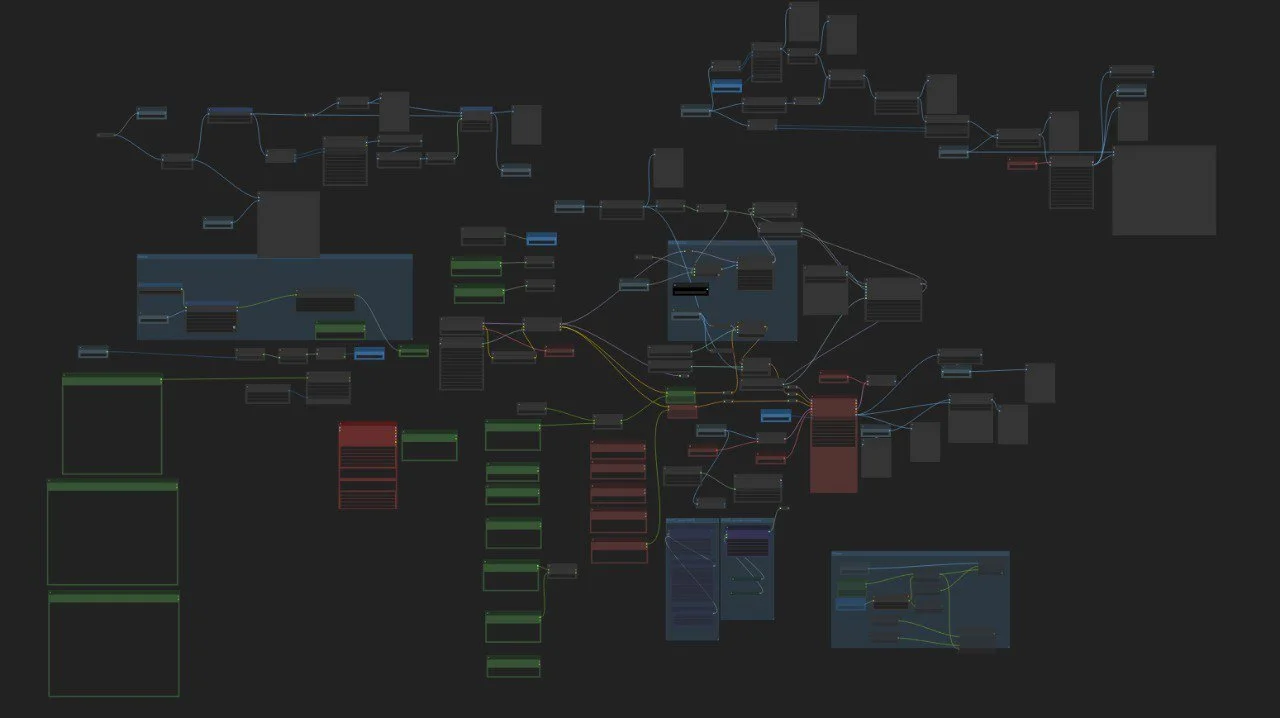
For instance, to achieve our distinct 'Line Art' style, I personally generated a dedicated training dataset in ComfyUI, which was then used to train a specific LoRA model. This was a critical step in programming the AI's visual vocabulary.
ComfyUI Training Process
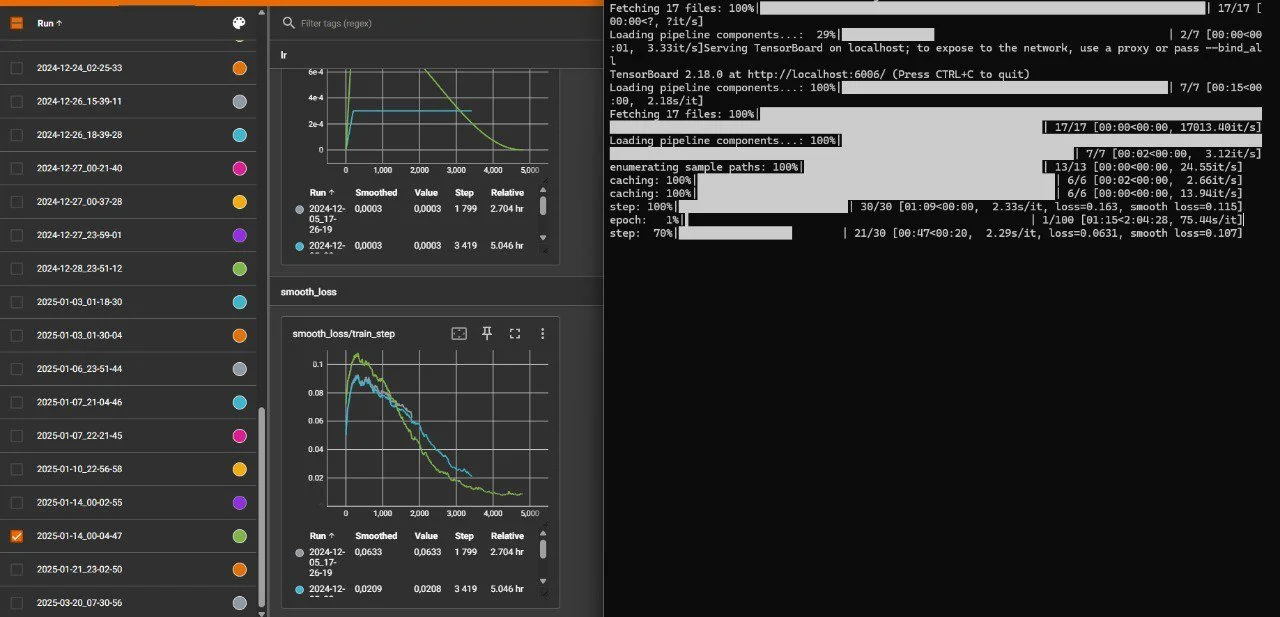
Semantic Training & Captioning Guidance: I partnered closely with engineers to translate subjective creative concepts like 'soft,' 'playful,' or 'edgy' into actionable AI learning parameters. This included providing guidance on detailed image captioning (leveraging LLMs for description), ensuring the AI accurately interpreted and categorized stylistic nuances within the dataset. This defined how the AI would understand and reproduce specific visual languages for both txt2image and img2img generation.
Workflow for Dataset
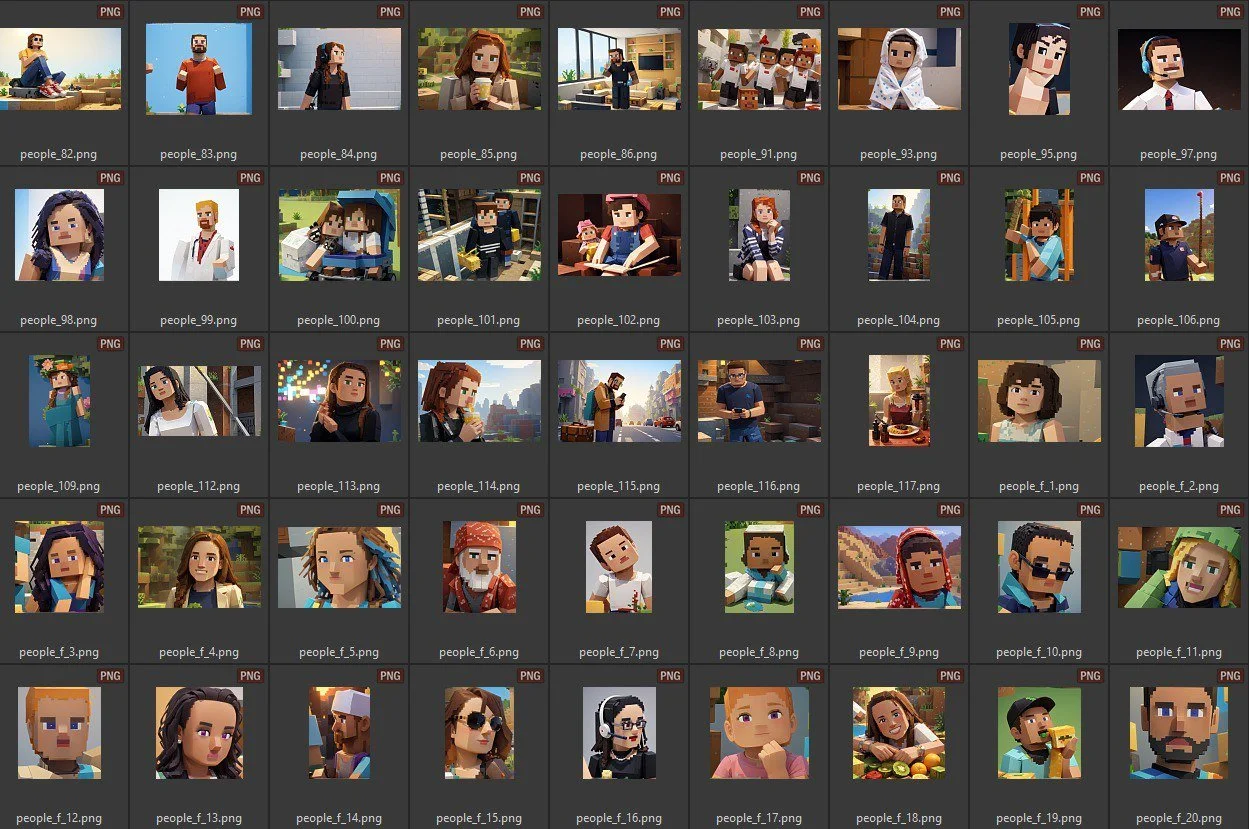
Custom Model Deployment: This iterative process culminated in the deployment of our custom-trained LoRA models alongside the base Stable Diffusion XL, enabling our platform to generate consistent, brand-aligned outputs at scale.
BRAND SYSTEM
1.Brand Purpose
VISION
Empower non-designers to create with confidence. Make fashion customization accessible, expressive, and intuitive for everyone.
MISSION
To launch the most user-friendly AI-powered design platform — helping users imagine, generate, and produce custom fashion products with ease.
USP
AI-powered design for real people — no design background needed.
From prompt to production — design, customize, and manufacture fashion in one platform.
Intuitive UI that lowers creative friction, especially for new or casual users.
Modular system built to scale across physical and virtual commerce.
Tagline
“Design for All”
2.Brand Character
LOOK & FEEL
Simple, modern, and neutral — intentionally pared down to stay accessible.
A subtle, funky edge drawn from fashion and streetwear cues.
TONE OF VOICE
Confident. Free-spirited. Simplistic.
THE PERSONA - Who embodies our brand?
Culture drivers with good taste — but lacking formal design/fashion background.
Curious about trends, eager to create, but intimidated by blank canvases.
THE INSPIRATION
Teenage Engineering (for quirky minimalism)
Squarespace (neutral UI, but Ablo is more fun)
Aitor Throup, Palace, PoolSuite, and HeyFrosty (for naivete + street sensibility)
3.Brand Character
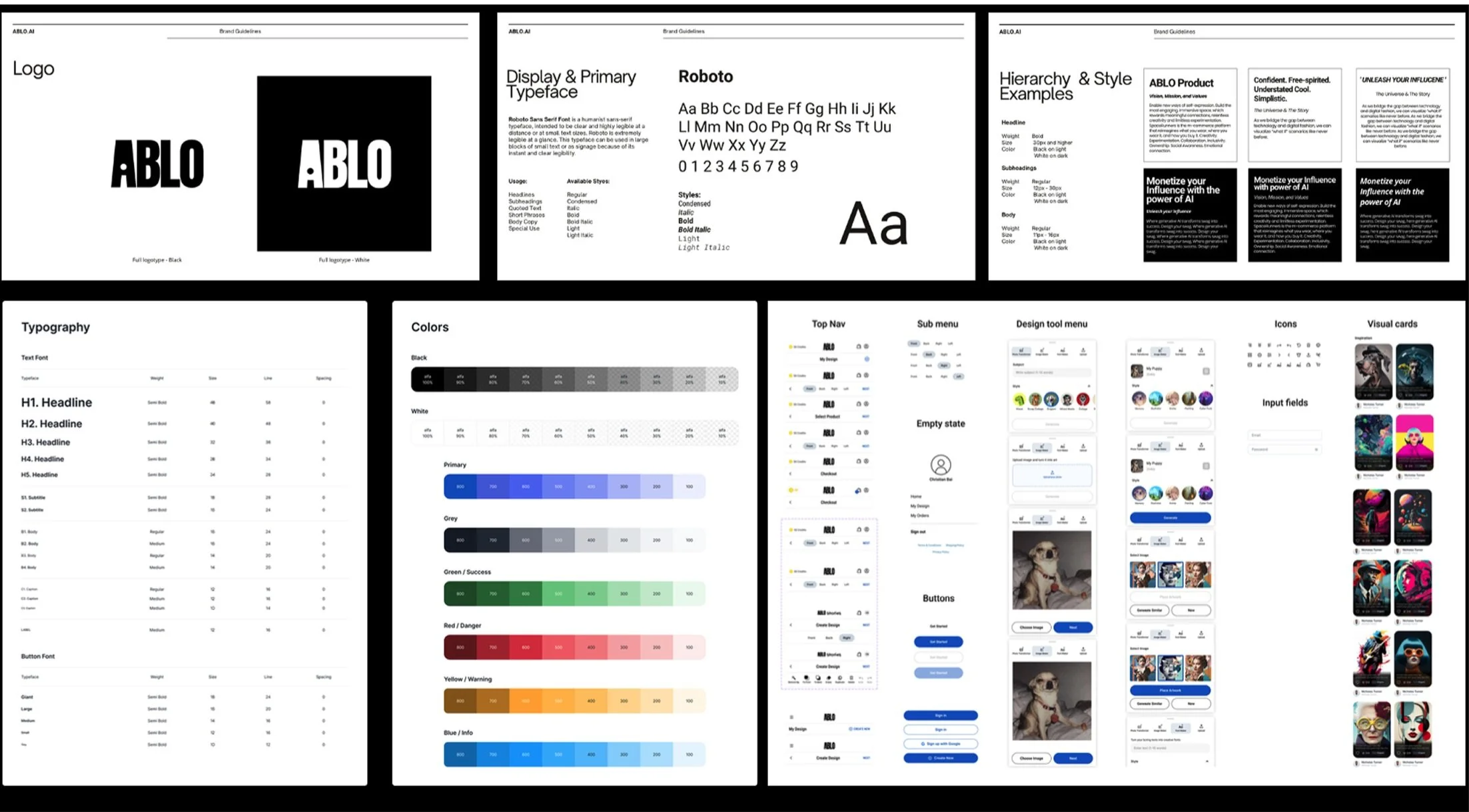
TYPOGRAPHY
Roboto family with scalable headline-to-body hierarchy for easy readability.
COLOR SYSTEM
Flexible, neutral palette with bold color accents used for category differentiation, UI feedback, and emotional tone.
COMPONENTS
Includes top nav, menus, buttons, AI design tools, cards, tags, and visual previews — optimized for onboarding and customization use cases.
THE INSPIRATION
Teenage Engineering (for quirky minimalism)
Squarespace (neutral UI, but Ablo is more fun)
Aitor Throup, Palace, PoolSuite, and HeyFrosty (for naivete + street sensibility)
OUTCOME & SUCCESS
Reduced Cognitive Load: Faster onboarding and higher first-session success rates.
Higher Retention: Increased return visits and user engagement through context-aware guidance.
Scalable Design System: Developed reusable frameworks that reduced time-to-market for new features.
Business Growth: Achieved 20% increase in user engagement through personalized, real-time interaction models.
Strategic Partnerships: Forged a successful collaboration with Crocs, enabling users to generate custom Jibbitz charms via Ablo — blending digital creativity with real-world self-expression.
Social Impact: Built a community of 235K+ followers across platforms, creating an active, recurring user base with high engagement rates.
Recognition: Featured in major media for innovative use of AI in digital product design.
Ecosystem Impact: Positioned Ablo.ai as a critical piece in the larger Space Runners ecosystem, connecting product creation (Ablo.ai), digital engagement (Spaceverse), and ownership (Digital Collectibles).
HERE MORE STORIES
Pending publishment due to confidentiality!
Because of the confidential nature of the work, I can't publicly share artifacts from my design process, but I'd be happy to show them to you in person if you'd like.
Feel free to reach out.